Playwright with TypeScript: The Ultimate Guide to Architecture, Best Practices, and Scalable E2E Testing
An enterprise-grade architectural guide for building robust, scalable functional E2E test suites with Playwright and TypeScript. Master Custom Fixtures, StorageState session management, Component Object Models, data factories, network mocking, and CI/CD sharding.
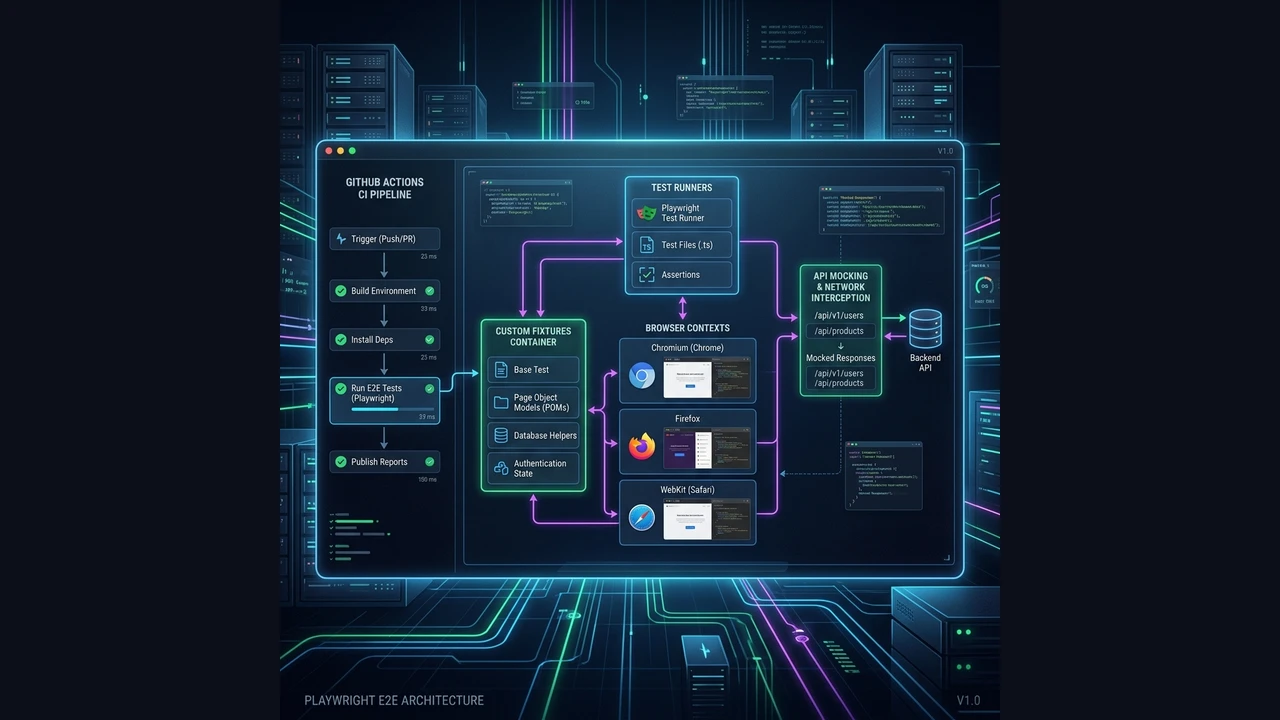
In modern enterprise software development, functional End-to-End (E2E) testing has evolved from an afterthought manual QA phase into a critical gatekeeper of continuous delivery pipelines. Yet, software organizations across the globe repeatedly struggle with the exact same failure modes: flaky test suites, agonizingly slow execution times, brittle selectors, and unmaintainable test code bases.
Playwright, Microsoft’s open-source automation engine, paired with the type safety and structural clarity of TypeScript, offers the ideal technology stack for building high-throughput, deterministic QA infrastructures.
As software architects, we must treat test code with the exact same rigor, architectural standards, and design patterns as production code. In this comprehensive guide, we unpack battle-tested software architectures, modern design patterns, data strategies, and CI/CD scaling techniques required to maintain suites of hundreds or thousands of E2E tests without losing velocity.
1. The E2E Paradigm Shift: Why Playwright + TypeScript?
Historically, web automation relied on Selenium (via the HTTP-based WebDriver protocol) or Cypress (with its browser-internal execution loop). Playwright fundamentally shifts the paradigm through several core architectural advantages:
- Native WebSocket / CDP Protocol: Communicates directly with browser engines via low-latency, bi-directional control channels without HTTP polling overhead.
- Ultra-Fast Isolation via
BrowserContext: Instead of launching a new browser process for every test (which takes seconds), Playwright creates lightweight, completely isolatedBrowserContextinstances in milliseconds—similar to opening an Incognito tab. - Built-in Actionability Auto-Waiting: Before performing any action (clicking, filling, checking), Playwright automatically verifies that elements are attached to the DOM, visible, stable (not animating), receiving events, and enabled.
- First-Class TypeScript Ecosystem: Provides strict typing across locators, custom assertions, context state, and fixtures, catching locator refactoring bugs at compile time.
2. Enterprise Project Architecture & Folder Organization
The primary cause of long-term E2E suite failure is a lack of structural boundary enforcement. Allowing test specs to directly manipulate raw DOM selectors or manage raw HTTP headers leads to immediate decay.
Architectural Layering
A robust E2E testing architecture separates concerns across four distinct layers:
- Presentation Layer: Accessibility-first locators and UI element abstractions.
- Domain / Action Layer: Component Object Models (COM) and Page Objects that encapsulate user flows.
- Data Layer: Dynamic data factories and builders producing randomized, valid test models.
- Infrastructure Layer: Custom Fixtures, API clients, authentication storage states, and environment configurations.
Directory Structure
e2e/
├── config/
│   ├── env.config.ts
│   └── playwright.config.ts
├── src/
│   ├── api/                # API clients for fast setup & teardown
│   │   ├── AuthApiClient.ts
│   │   └── UserApiClient.ts
│   ├── components/         # Reusable Component Object Models (COM)
│   │   ├── DataGrid.ts
│   │   ├── Modal.ts
│   │   └── Navbar.ts
│   ├── factories/          # Test data generators (Faker + Builder Pattern)
│   │   ├── orderFactory.ts
│   │   └── userFactory.ts
│   ├── fixtures/           # IoC container & custom test extensions
│   │   ├── auth.fixture.ts
│   │   ├── index.ts
│   │   └── page.fixture.ts
│   ├── pages/              # Route-level Page Objects
│   │   ├── CheckoutPage.ts
│   │   ├── DashboardPage.ts
│   │   └── LoginPage.ts
│   └── utils/              # Custom matchers, loggers, & helper functions
│       ├── customMatchers.ts
│       └── logger.ts
└── tests/                  # Functional spec specifications
    ├── auth/
    │   └── login.spec.ts
    ├── checkout/
    │   └── payment.spec.ts
    └── dashboard/
        └── analytics.spec.ts
Component Object Model (COM) vs. Monolithic Page Object Model (POM)
Traditional Page Object Models (POM) frequently degenerate into 800-line “god objects” containing selectors for headers, footers, search bars, sidebars, and forms.
Modern architecture replaces monolithic POMs with the Component Object Model (COM):
- Pages: Light coordination layers that represent routes and compose components.
- Components: Encapsulated, reusable UI structures (e.g., a data table, notification toast, or search input).
// src/components/DataGrid.ts
import { Locator, Page } from "@playwright/test";

export class DataGrid {
  readonly table: Locator;
  readonly rows: Locator;

  constructor(
    private readonly page: Page,
    containerLocator?: Locator
  ) {
    this.table = containerLocator ?? page.getByRole("table");
    this.rows = this.table.getByRole("row");
  }

  async getRowByText(text: string): Locator {
    return this.rows.filter({ hasText: text });
  }

  async getCell(rowText: string, columnIndex: number): Locator {
    const row = await this.getRowByText(rowText);
    return row.getByRole("cell").nth(columnIndex);
  }

  async clickRowAction(rowText: string, actionName: string): Promise<void> {
    const row = await this.getRowByText(rowText);
    await row.getByRole("button", { name: new RegExp(actionName, "i") }).click();
  }
}
// src/pages/DashboardPage.ts
import { Page } from "@playwright/test";
import { DataGrid } from "../components/DataGrid";
import { Navbar } from "../components/Navbar";
export class DashboardPage {
readonly navbar: Navbar;
readonly userGrid: DataGrid;
constructor(private readonly page: Page) {
this.navbar = new Navbar(page);
this.userGrid = new DataGrid(page, page.getByTestId("user-management-grid"));
}
async goto(): Promise<void> {
await this.page.goto("/dashboard");
}
}3. Inversion of Control (IoC) with Custom Fixtures
Instantiating Page Objects manually with const loginPage = new LoginPage(page) inside beforeEach hooks creates massive setup duplication and tight coupling.
Playwright features a built-in Inversion of Control (IoC) mechanism using test.extend<T>(). This acts as a native Dependency Injection container that manages fixture lifecycles, teardowns, and dependency graphs automatically.
Understanding Fixture Scopes
- Test-Scoped Fixtures: Created fresh for every individual test function (ideal for Page Objects, isolated browser pages, and API clients).
- Worker-Scoped Fixtures: Instantiated once per parallel worker process (ideal for expensive database connections, global auth setup, or heavy server mocks).
Implementing Advanced Custom Fixtures
// src/fixtures/index.ts
import { test as base, Page } from "@playwright/test";
import { LoginPage } from "../pages/LoginPage";
import { DashboardPage } from "../pages/DashboardPage";
import { UserApiClient } from "../api/UserApiClient";
import { User, userFactory } from "../factories/userFactory";

// 1. Declare custom fixture signature
type AppFixtures = {
  loginPage: LoginPage;
  dashboardPage: DashboardPage;
  userApi: UserApiClient;
  authenticatedUser: User;
};

// 2. Extend base test object with dependency injection
export const test = base.extend<AppFixtures>({
  loginPage: async ({ page }, use) => {
    await use(new LoginPage(page));
  },

  dashboardPage: async ({ page }, use) => {
    await use(new DashboardPage(page));
  },

  userApi: async ({ request }, use) => {
    await use(new UserApiClient(request));
  },

  // Fixture with setup and teardown logic
  authenticatedUser: async ({ userApi }, use) => {
    // Setup: Create temporary user via API
    const user = userFactory.create({ role: "ADMIN" });
    await userApi.createUser(user);

    // Provide user to the test
    await use(user);

    // Teardown: Clean up user from backend after test finishes
    await userApi.deleteUser(user.id);
  },
});

export { expect } from "@playwright/test";
Clean Test Specs via Fixture Injection
Notice how the test spec receives fully instantiated, pre-configured objects directly via parameter destructuring:
// tests/dashboard/user-management.spec.ts
import { test, expect } from "../../src/fixtures";

test.describe("User Management", () => {
  test("should allow admin to deactivate registered users", async ({
    loginPage,
    dashboardPage,
    authenticatedUser,
  }) => {
    await loginPage.goto();
    await loginPage.loginWithCredentials(authenticatedUser.email, authenticatedUser.password);

    await dashboardPage.userGrid.clickRowAction(authenticatedUser.email, "Deactivate");

    const statusCell = await dashboardPage.userGrid.getCell(authenticatedUser.email, 3);
    await expect(statusCell).toHaveText("Inactive");
  });
});
4. Resilient Locators & Flakiness Elimination
Test flakiness is almost always caused by fragile DOM selectors (such as auto-generated CSS classes or structural XPath queries) and manual sleep timeouts.
Accessibility-First Locator Hierarchy
Always select elements in the exact order recommended by accessibility standards:
getByRole: Queries semantically accessible elements (button,heading,checkbox,dialog,tab). This mirrors how real screen readers and users interact with your UI.getByLabel: Ideal for form controls connected via<label>tags.getByText: For non-interactive text content verification.getByTestId: Fallback for complex dynamic elements where semantic roles do not exist (configured viadata-testid).
// ❌ ANTI-PATTERN: Brittle CSS selector tied to styling or dynamic hashes
page.locator("div.main-container > form > div:nth-child(2) > button.css-1a2b3c");

// ❌ ANTI-PATTERN: Brittle XPath query coupled to exact DOM tree
page.locator("//html/body/div[2]/section/div/button[text()='Submit']");

// ✅ BEST PRACTICE: Accessible role locator with regex match
page.getByRole("button", { name: /confirm payment/i });

// ✅ BEST PRACTICE: Accessible form label locator
page.getByLabel("Email Address");

// ✅ BEST PRACTICE: Explicit test-id for dynamic elements
page.getByTestId("checkout-summary-total");
Handling Complex Dynamic Locators with Filtering
// Filter rows dynamically by child element content without hardcoded indexes
const targetCard = page.getByRole("article").filter({
  has: page.getByRole("heading", { name: "Enterprise Plan" }),
  hasText: "$99/month",
});

await targetCard.getByRole("button", { name: "Upgrade Now" }).click();
The Strict Ban on page.waitForTimeout()
// ❌ STRICTLY FORBIDDEN IN ENTERPRISE TEST SUITES
await page.waitForTimeout(5000); // Flaky, arbitrary, slows down execution
Always rely on Playwright’s Web-First Assertions, which automatically retry until the assertion passes or the timeout expires:
// ✅ BEST PRACTICE: Auto-retrying assertion
await expect(page.getByRole("status")).toHaveText("Order placed successfully", {
  timeout: 10_000,
});
5. Test Data Autonomy: Factories & Builders
Sharing hardcoded test data (e.g., using testuser@example.com in 50 tests running in parallel) guarantees race conditions and test failures when tests mutate data simultaneously.
The Builder Pattern with @faker-js/faker
Generate randomized, deterministic, and self-contained test data for every execution:
// src/factories/userFactory.ts
import { faker } from "@faker-js/faker";

export interface User {
  id: string;
  firstName: string;
  lastName: string;
  email: string;
  role: "ADMIN" | "USER" | "MANAGER";
}

export class UserBuilder {
  private user: User = {
    id: faker.string.uuid(),
    firstName: faker.person.firstName(),
    lastName: faker.person.lastName(),
    email: faker.internet.email(),
    role: "USER",
  };

  withRole(role: "ADMIN" | "USER" | "MANAGER"): this {
    this.user.role = role;
    return this;
  }

  withEmail(email: string): this {
    this.user.email = email;
    return this;
  }

  build(): User {
    return { ...this.user };
  }
}

export const userFactory = {
  create: (overrides?: Partial<User>): User => ({
    id: faker.string.uuid(),
    firstName: faker.person.firstName(),
    lastName: faker.person.lastName(),
    email: faker.internet.email({ provider: "labitcode-test.com" }),
    role: "USER",
    ...overrides,
  }),
};
6. High-Speed State & Authentication (StorageState)
Executing full UI login flows (filling credentials, solving 2FA, waiting for redirects) before every single spec file degrades test performance exponentially.
Multi-Role Authentication with Setup Projects
Authenticate user roles once per test run and save session states (cookies, localStorage) to disk using storageState.
1. Define the Global Setup Specs
// tests/auth.setup.ts
import { test as setup, expect } from "@playwright/test";

const adminAuthFile = "playwright/.auth/admin.json";

setup("authenticate as admin user", async ({ page }) => {
  await page.goto("/login");
  await page.getByLabel("Email Address").fill(process.env.ADMIN_EMAIL!);
  await page.getByLabel("Password").fill(process.env.ADMIN_PASSWORD!);
  await page.getByRole("button", { name: "Sign In" }).click();

  await page.waitForURL("/dashboard");
  await expect(page.getByRole("heading", { name: /admin dashboard/i })).toBeVisible();

  // Persist storage state to disk
  await page.context().storageState({ path: adminAuthFile });
});
2. Configure playwright.config.ts Dependencies
// playwright.config.ts
import { defineConfig, devices } from "@playwright/test";

export default defineConfig({
  projects: [
    // Setup Project: Executes first to generate auth files
    {
      name: "setup",
      testMatch: /.*\.setup\.ts/,
    },
    // Admin Tests: Reuses admin auth state
    {
      name: "admin-chromium",
      use: {
        ...devices["Desktop Chrome"],
        storageState: "playwright/.auth/admin.json",
      },
      dependencies: ["setup"],
      testMatch: /.*admin.*\.spec\.ts/,
    },
    // Standard User Tests
    {
      name: "user-chromium",
      use: {
        ...devices["Desktop Chrome"],
        storageState: "playwright/.auth/user.json",
      },
      dependencies: ["setup"],
      testMatch: /.*user.*\.spec\.ts/,
    },
  ],
});
7. Network Interception & API Mocking (page.route)
While E2E tests should validate real integration paths, interacting with external third-party services (e.g., Stripe, Twilio, SendGrid) in automated pipelines can be destructive, expensive, or rate-limited.
Mocking HTTP Responses
Playwright intercepts browser network traffic seamlessly at the network layer:
test("should render subscription error modal on Stripe API failure", async ({ page }) => {
  // Mock external Stripe API endpoint response
  await page.route("**/v1/subscriptions", async (route) => {
    await route.fulfill({
      status: 402,
      contentType: "application/json",
      body: JSON.stringify({
        error: {
          code: "card_declined",
          message: "Your card was declined.",
        },
      }),
    });
  });

  await page.goto("/billing");
  await page.getByRole("button", { name: "Subscribe Now" }).click();

  await expect(page.getByRole("dialog")).toContainText("Your card was declined.");
});
Mocking GraphQL Operations by Operation Name
Unlike standard REST endpoints, GraphQL requests all share a single endpoint URL (/graphql). Filter requests by operationName:
await page.route("**/graphql", async (route) => {
  const request = route.request();
  const postData = request.postDataJSON();

  if (postData?.operationName === "GetProductList") {
    await route.fulfill({
      status: 200,
      contentType: "application/json",
      body: JSON.stringify({
        data: {
          products: [{ id: "1", name: "Mocked Laptop", price: 999 }],
        },
      }),
    });
  } else {
    await route.continue();
  }
});
8. Visual Regression Testing & Snapshot Hygiene
Functional assertions verify business logic, but subtle CSS shifts or visual layout breakages can bypass text assertions.
Screenshot Baseline Strategy
test("should render checkout summary card correctly", async ({ page }) => {
  await page.goto("/checkout/summary");

  // Mask dynamic elements like timestamps or order IDs to prevent false visual diffs
  await expect(page.getByTestId("summary-card")).toHaveScreenshot("summary-card-baseline.png", {
    mask: [page.getByTestId("order-timestamp"), page.getByTestId("random-order-id")],
    maxDiffPixelRatio: 0.02,
  });
});
Architecture Tip: To prevent visual regression failures caused by cross-platform font rendering differences between macOS, Windows, and Linux, always generate and verify snapshot baselines inside a standardized Docker container.
9. Industrial CI/CD Scaling: Parallelism & Sharding
To maintain feedback loops under 10 minutes in CI/CD pipelines (GitHub Actions, GitLab CI, Jenkins), maximize horizontal test parallelism.
Optimized Production playwright.config.ts
import { defineConfig } from "@playwright/test";

export default defineConfig({
  testDir: "./tests",
  fullyParallel: true,
  forbidOnly: !!process.env.CI,
  retries: process.env.CI ? 2 : 0,
  workers: process.env.CI ? "50%" : undefined, // Scales dynamically based on available CPU cores
  reporter: process.env.CI
    ? [["blob"], ["github"], ["html", { open: "never" }]]
    : [["list"], ["html"]],
  use: {
    baseURL: process.env.BASE_URL || "http://localhost:3000",
    trace: "on-first-retry",
    screenshot: "only-on-failure",
    video: "retain-on-failure",
  },
});
GitHub Actions Matrix Sharding Pipeline
Divide large test suites across multiple parallel virtual machines using Playwright’s native --shard flag:
name: Enterprise Playwright E2E Pipeline

on:
  push:
    branches: [main]
  pull_request:
    branches: [main]

jobs:
  e2e-test:
    name: Run Shard ${{ matrix.shard }}/${{ strategy.job-total }}
    runs-on: ubuntu-latest
    strategy:
      fail-fast: false
      matrix:
        shard: [1, 2, 3, 4]
    steps:
      - uses: actions/checkout@v4
      - uses: actions/setup-node@v4
        with:
          node-version: 20
          cache: "npm"
      - run: npm ci
      - run: npx playwright install --with-deps

      - name: Run Playwright Tests
        run: npx playwright test --shard=${{ matrix.shard }}/4

      - name: Upload Blob Report Artifact
        if: always()
        uses: actions/upload-artifact@v4
        with:
          name: blob-report-${{ matrix.shard }}
          path: blob-report/
          retention-days: 1

  merge-reports:
    name: Merge Blob Reports & Publish Report
    if: always()
    needs: [e2e-test]
    runs-on: ubuntu-latest
    steps:
      - uses: actions/checkout@v4
      - uses: actions/setup-node@v4
        with:
          node-version: 20
      - run: npm ci

      - name: Download all Blob Reports
        uses: actions/download-artifact@v4
        with:
          path: all-blob-reports
          pattern: blob-report-*
          merge-multiple: true

      - name: Merge Reports into HTML
        run: npx playwright merge-reports ./all-blob-reports --reporter=html

      - name: Upload Final HTML Report
        uses: actions/upload-artifact@v4
        with:
          name: html-report
          path: playwright-report/
          retention-days: 14
10. Architect’s Master Matrix: Best Practices vs. Anti-Patterns
| Architectural Domain | ❌ Anti-Pattern (To Avoid) | ✅ Best Practice (Recommended) |
|---|---|---|
| Locators | Using fragile CSS classes (.btn-3x) or absolute XPath expressions. | Leveraging accessible semantic locators (getByRole, getByLabel, getByTestId). |
| Synchronization | Inserting static sleep calls (page.waitForTimeout(5000)). | Relying on Auto-waiting and Web-First Assertions (expect(loc).toBeVisible()). |
| Authentication | Executing full UI login flows before every spec file. | Persisting storageState in setup projects to reuse authenticated sessions. |
| Design Pattern | Monolithic Page Objects containing hundreds of locator methods. | Implementing lightweight Component Object Models (COM) composed by Pages. |
| Dependency Injection | Instantiating page classes manually (new Page()) inside tests. | Extending test.extend<T>() with custom Fixtures for automatic lifecycle management. |
| Test Data | Sharing static hardcoded database entities across parallel tests. | Utilizing Factories & Builders (@faker-js/faker) for isolated dynamic test data. |
| Network Management | Hitting production third-party APIs (Stripe, Twilio) repeatedly. | Intercepting and mocking external network endpoints via page.route(). |
| Visual Testing | Comparing raw full-page screenshots without dynamic element masks. | Masking dynamic elements (orderId, timestamps) and running baseline checks in Docker. |
| CI/CD Execution | Running tests sequentially on a single virtual machine worker. | Enabling fullyParallel: true and distributing workloads via Matrix Sharding. |
Summary & Architectural Checklist
Building an enterprise-grade E2E test suite requires shifting from “writing test scripts” to engineering test systems. By implementing:
- Component Object Models (COM) for UI encapsulation,
- Custom Fixtures for IoC dependency injection,
- StorageState for instant authentication,
- Data Factories for execution autonomy, and
- CI/CD Sharding for parallel cloud execution,
your engineering team can scale test coverage confidently while keeping execution times under 10 minutes and maintaining zero tolerance for test flakiness.
How is your team structuring your E2E automation architecture? If you want to optimize your QA infrastructure or consult on test architecture, connect with us at labitcode.com.
Join the conversation
Have thoughts on this post? Share them on social media or reach out directly.
Related Posts
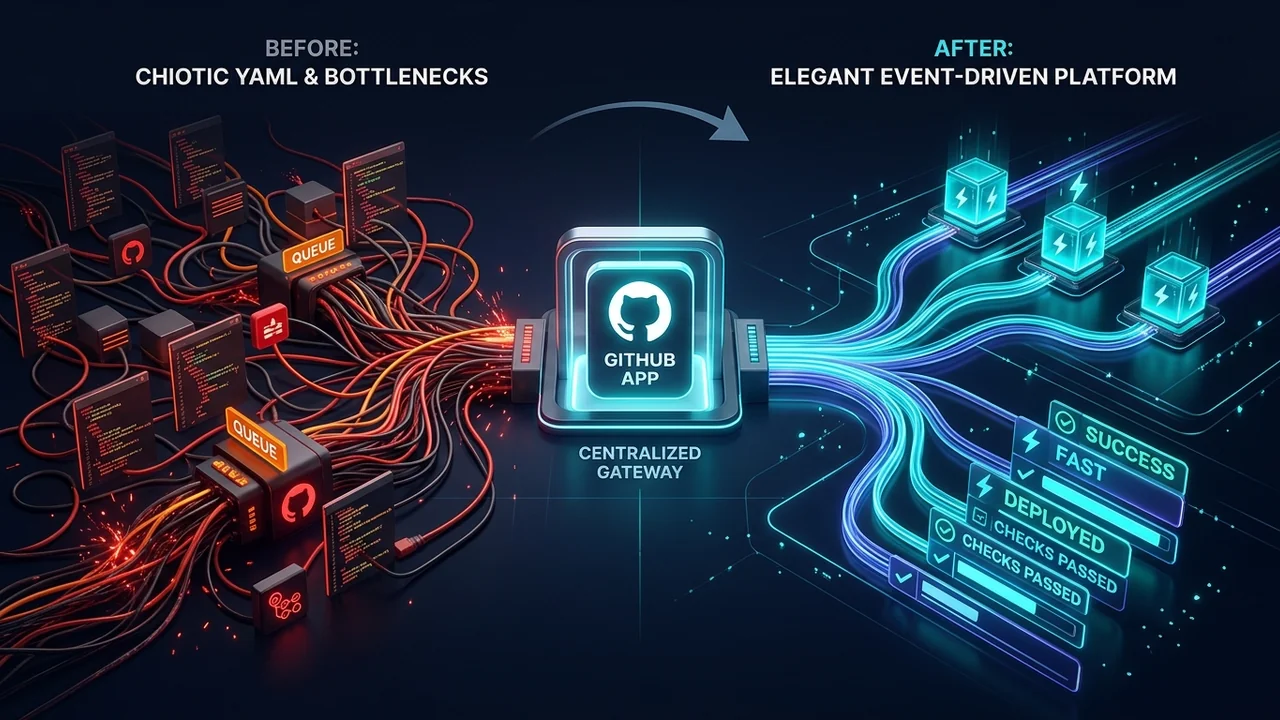
Why Tech Platforms Don't Use GitHub Actions: The Case for GitHub Apps and Centralized Runners at Scale
A deep dive into why enterprise platforms and cloud giants like Vercel decouple from GitHub Actions in favor of GitHub Apps, event-driven orchestration, and dedicated runner infrastructure.

The Anatomy of a CI/CD Secrets Dump: DevSecOps Analysis, Attack Vectors, and GitHub Actions Hardening
A deep technical dissection of GitHub Actions secrets mechanics, the risks of toJSON(secrets), threat modeling CI/CD attack vectors (PwnRequest, supply chain hijacking, artifact exfiltration), and a defense-in-depth guide to automated secrets auditing.
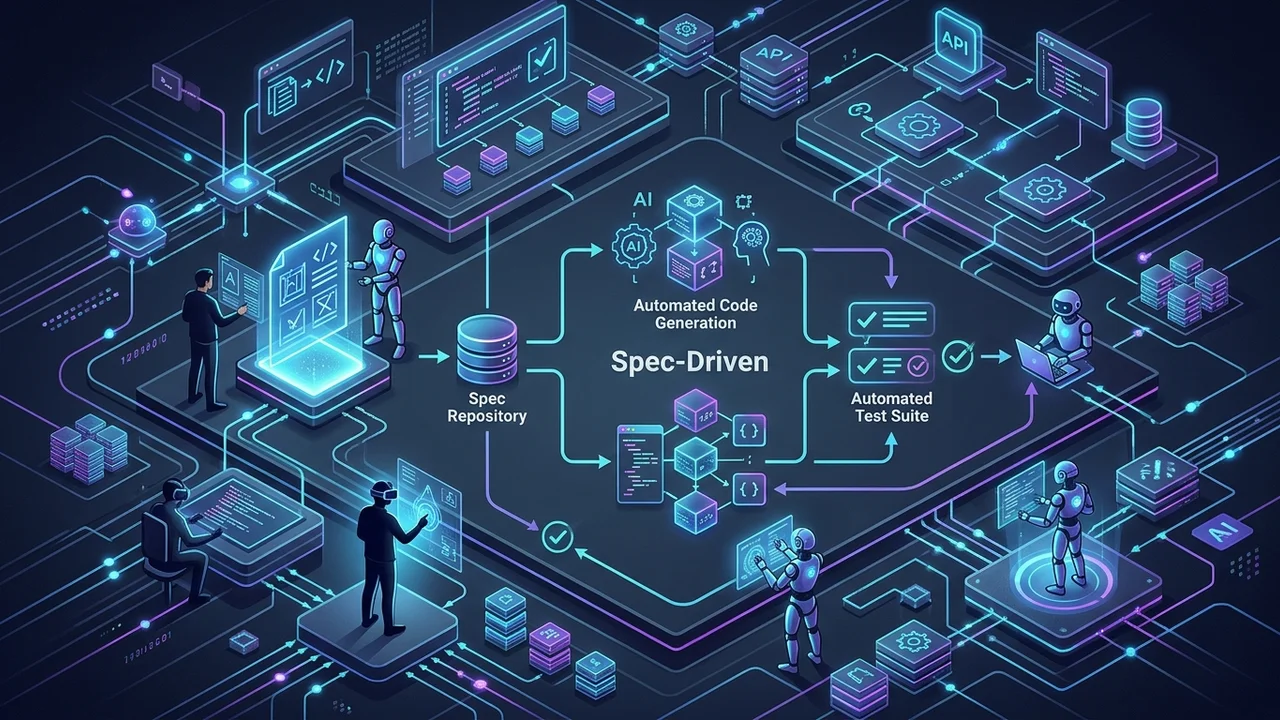
Spec-Driven Development in the Age of AI: OpenSpec vs. GitHub Spec Kit
Why 'vibe coding' fails at scale and how Spec-Driven Development (SDD) turns AI agents into reliable engineering partners. A deep technical comparison of OpenSpec and GitHub Spec Kit with real-world workflows, CLI commands, and architectural patterns.