Spec-Driven Development in the Age of AI: OpenSpec vs. GitHub Spec Kit
Why 'vibe coding' fails at scale and how Spec-Driven Development (SDD) turns AI agents into reliable engineering partners. A deep technical comparison of OpenSpec and GitHub Spec Kit with real-world workflows, CLI commands, and architectural patterns.
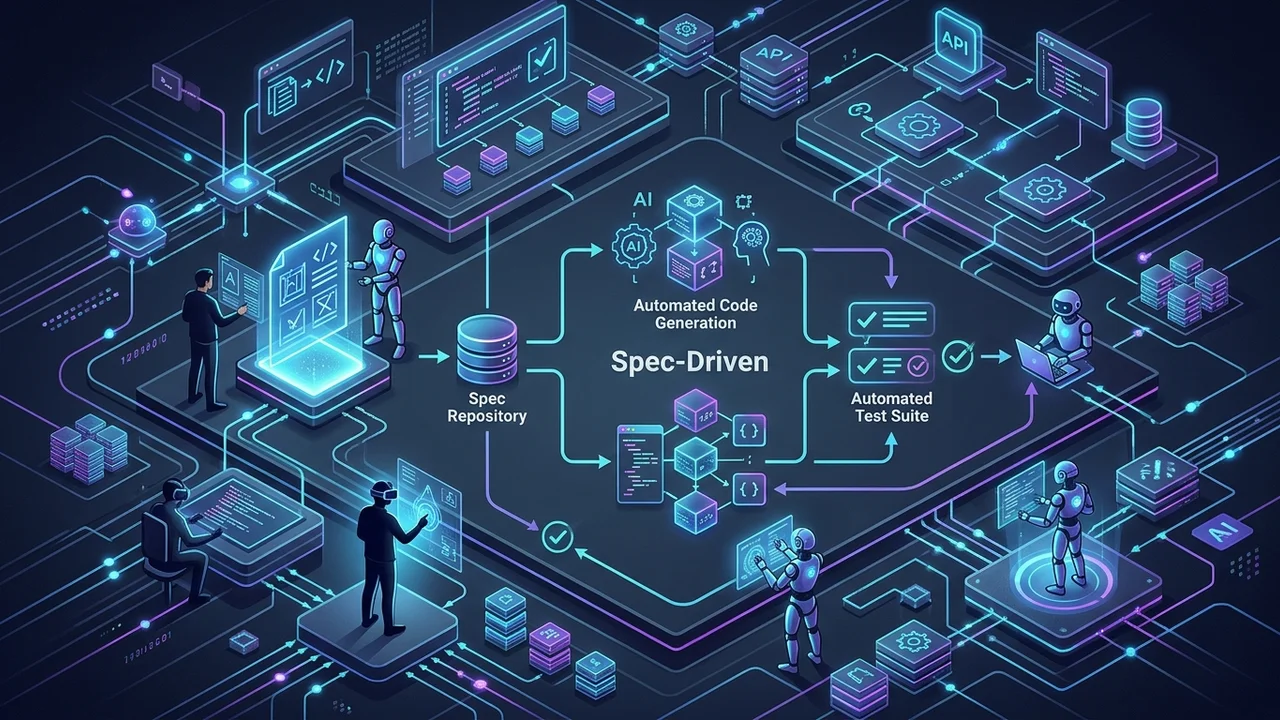
In the early rush of generative AI, the software industry embraced “vibe coding” — prompting an LLM in an open chat window, hitting apply, and tweaking code until the test suite or browser stopped throwing errors.
For weekend prototypes and disposable scripts, vibe coding feels like magic. But when applied to production monoliths, distributed microservices, or long-lived codebases, it quickly degenerates into an unmaintainable tangle. Context windows fill with fragmented assumptions, architectural conventions are silently abandoned, edge cases go untested, and no human on the team knows why a particular decision was made.
Enter Spec-Driven Development (SDD): the engineering paradigm that shifts AI pair programming from conversational guessing to structured, executable contracts.
In this guide, we’ll break down the core mechanics of Spec-Driven Development, explore why specifications are the ultimate medium for human-AI alignment, and conduct a detailed, hands-on comparison between the two leading open-source SDD frameworks: OpenSpec by Fission-AI and Spec Kit by GitHub.
The Failure Modes of “Vibe Coding”
To understand why Spec-Driven Development is gaining massive traction across engineering organizations, we must first diagnose the fatal flaws of ad-hoc prompt engineering:
- Context Rot & Compounding Hallucinations: Large language models suffer from attention degradation as conversation history grows. When you iterate across 20 prompts in a single chat session, early constraints are forgotten, leading the agent to revert previous fixes or introduce silent regressions.
- Loss of Architectural Intent: When code is generated directly from conversational prompts, the architectural reasoning is lost in the chat transient log. Future engineers (and future AI agents) have no way of knowing whether a pattern was an intentional design decision or a hallucinated shortcut.
- Greenfield Bias in Brownfield Codebases: Most AI coding tools excel when creating files from scratch, but struggle in complex existing repositories. Without explicit boundary definitions, agents modify unrelated modules, violate project conventions, or introduce redundant dependencies.
- Unreviewable Pull Requests: Reviewing a 1,500-line diff generated across multiple chat prompts is exhausting. Reviewers cannot verify if the code matches requirements because the requirements were never codified in the repository.
Conversational Prompting ("Vibe Coding"):
Vague Prompt ──▶ AI Guesses Architecture ──▶ Generates Code ──▶ Silent Bugs & Drift

Spec-Driven Development (SDD):
Human Intent ──▶ Structured Spec & Rules ──▶ Plan & Task Matrix ──▶ Autonomous AI Execution ──▶ Verification
What is Spec-Driven Development (SDD)?
Spec-Driven Development (SDD) is an engineering methodology where structured, version-controlled specifications act as the single source of truth for both human engineers and autonomous AI agents.
Instead of asking an AI to immediately write code, SDD breaks the development cycle into distinct, verifiable phases:
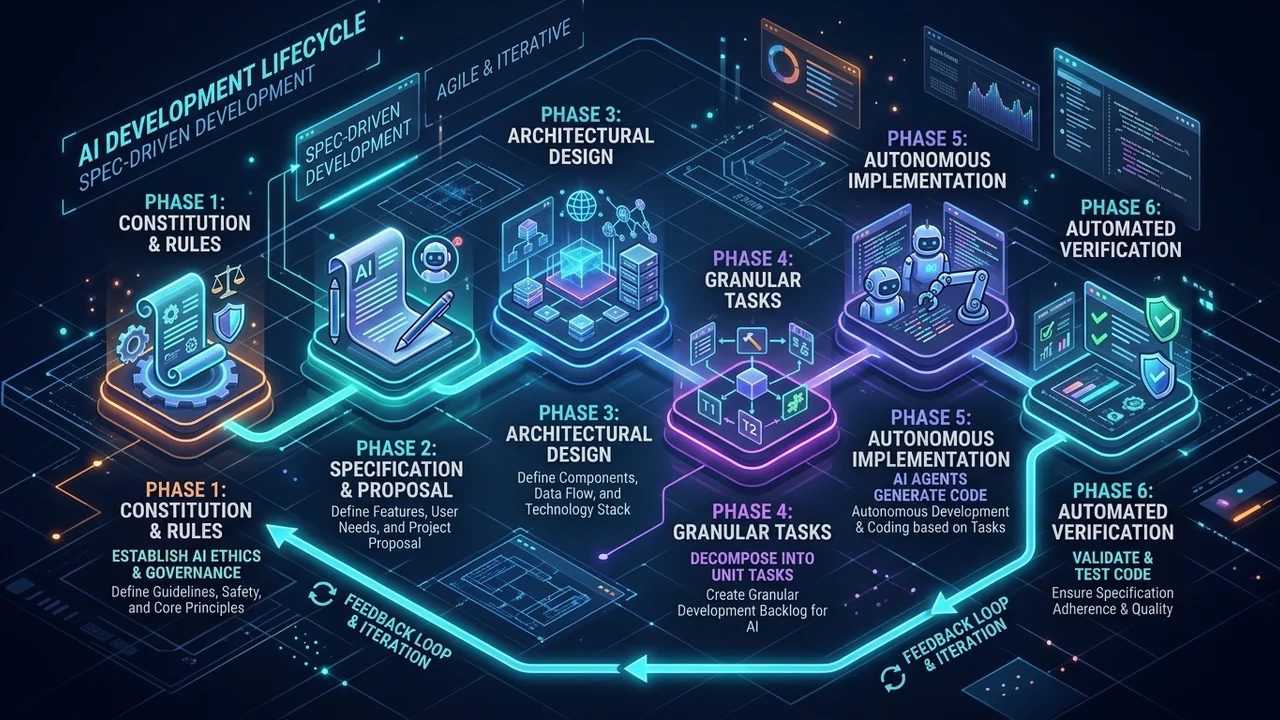
The Core Principles of SDD
- Separation of Concerns:
- Constitution / Rules: Global invariant standards (coding guidelines, security rules, dependency constraints).
- Intent (What & Why): Business requirements, user scenarios, and acceptance criteria.
- Architecture (How): System design, data models, API schemas, and component boundaries.
- Execution (Tasks): A dependency-ordered checklist of atomic implementation steps.
- Specifications as Living Artifacts: Specs live inside the Git repository alongside the source code. They are version-controlled, branch-aware, and reviewed in Pull Requests just like application code.
- Agent Agnosticism: Specifications are written in standard Markdown, YAML, or JSON. They do not depend on proprietary model features and can be executed by Claude Code, Cursor, GitHub Copilot, Gemini CLI, Windsurf, or Aider.
- Deterministic Verification: Every specification defines explicit scenarios and verification steps (e.g., Given/When/Then assertions) that allow AI agents and CI pipelines to autonomously validate correctness.
Deep Dive: OpenSpec (Fission-AI/OpenSpec)
OpenSpec is an open-source framework developed by Fission-AI designed specifically for real-world brownfield repositories and multi-agent development environments.
                     ┌────────────────────────────────┐
                     │          openspec/             │
                     ├────────────────────────────────┤
                     │  changes/                      │
                     │    ├── add-oauth-auth/         │
                     │    │   ├── proposal.md         │
                     │    │   ├── design.md           │
                     │    │   ├── tasks.md            │
                     │    │   └── specs/              │
                     │    │       └── auth.spec.md    │
                     │  specs/                        │
                     │    └── auth.spec.md (synced)   │
                     │  archive/                      │
                     └────────────────────────────────┘
Philosophy: Delta Specs & Change-Centric Lifecycle
OpenSpec’s defining innovation is the concept of Delta Specifications. Rather than requiring teams to document an entire legacy codebase upfront, OpenSpec operates in atomic “changes”:
- You propose a change targeting a specific feature or bugfix.
- You write delta specifications that describe what changes relative to the current system.
- Once the agent finishes implementing and testing the tasks, the change is synced to the global
specs/directory and moved toarchive/.
The OpenSpec Command Lifecycle
OpenSpec injects a standardized /opsx: command namespace into your AI agent or terminal:
| Command | Purpose | When to Use |
|---|---|---|
openspec init | Scaffolds the .openspec/ configuration and baseline directories | Project onboarding |
/opsx:explore | Read-only analysis mode to investigate code without modifying files | Brainstorming & feasibility studies |
/opsx:propose | Generates proposal.md, design.md, tasks.md, and delta specs | Feature planning phase |
/opsx:apply | Autonomously executes the implementation checklist from tasks.md | Implementation phase |
/opsx:sync | Merges delta specs into the repository’s permanent openspec/specs/ | Post-implementation |
/opsx:archive | Archives the completed change folder to preserve historical context | PR preparation & cleanup |
Hands-on Walkthrough: Implementing OAuth2 with OpenSpec
Let’s look at how OpenSpec structures a real-world feature: adding OAuth2 JWT authentication to an API.
Step 1: Initialize the Proposal
Run /opsx:propose add-oauth2-authentication in your agent chat. OpenSpec generates the scaffolding:
<!-- openspec/changes/add-oauth2-auth/proposal.md -->

# Proposal: OAuth2 JWT Authentication Layer

## Motivation

Migrate from legacy session cookies to stateless JWT authentication to support mobile clients and horizontal scaling across multi-region serverless instances.

## Scope

- Implement Google & GitHub OAuth2 authorization code flow.
- Issue signed JWT access tokens (15-min expiry) and encrypted refresh tokens (30-day expiry).
- Add middleware to validate Bearer tokens on protected `/api/v1/*` endpoints.

## Out of Scope

- SAML / Enterprise SSO (deferred to Q4).
- Custom username/password credentials.

## Risks & Mitigations

- **Token revocation latency:** Solved via Redis Bloom filter for blacklisted tokens.
- **Clock drift:** Allow 60-second leeway in JWT expiration checks.
Step 2: Define Technical Architecture (design.md)
<!-- openspec/changes/add-oauth2-auth/design.md -->

# Technical Design: OAuth2 JWT Authentication

## Architecture Overview

Stateless JWT validation at the edge middleware layer with Redis for refresh token persistence and rotation.

## Data Schema

```typescript
interface TokenPayload {
  sub: string; // User UUID
  email: string; // Verified user email
  roles: string[]; // ["user", "admin"]
  iat: number; // Issued at
  exp: number; // Expiration timestamp
  iss: "labitcode"; // Issuer
}
```
Security Constraints
- Signing Algorithm:
EdDSA(Ed25519) using private key rotation. - Store refresh tokens with SHA-256 hash in Redis; never store plain tokens.
#### Step 3: Define Delta Specifications (`specs/auth.spec.md`)

```markdown
<!-- openspec/changes/add-oauth2-auth/specs/auth.spec.md -->
# Specification: Authentication Service

## Requirement: Access Token Verification
The system MUST validate all incoming requests to protected routes against a valid JWT Bearer token.

### Scenario: Valid Bearer Token
- **Given** an HTTP request to `GET /api/v1/user/profile`
- **And** header `Authorization: Bearer <valid_jwt>`
- **When** the authentication middleware processes the request
- **Then** the request is enriched with `context.user`
- **And** returns HTTP status `200 OK`

### Scenario: Expired Token
- **Given** an HTTP request with an expired JWT in the `Authorization` header
- **When** the authentication middleware processes the request
- **Then** return HTTP status `401 Unauthorized`
- **And** return JSON payload `{"error": "TOKEN_EXPIRED", "code": 40101}`
Step 4: Generate the Implementation Checklist (tasks.md)
<!-- openspec/changes/add-oauth2-auth/tasks.md -->

# Implementation Checklist

- [ ] 1. Install dependencies: `jose` and `ioredis`
- [ ] 2. Create JWT key utility in `src/lib/auth/keys.ts`
- [ ] 3. Implement token issuer and validator in `src/lib/auth/jwt.ts`
- [ ] 4. Create token rotation endpoint `POST /api/v1/auth/refresh`
- [ ] 5. Implement Astro / Node middleware in `src/middleware/auth.ts`
- [ ] 6. Write Vitest unit tests verifying all Given/When/Then scenarios
- [ ] 7. Validate 100% test pass rate with `npm run test`
Once reviewed by the engineer, calling /opsx:apply instructs the AI agent to work through tasks.md sequentially, ticking items off as each unit test passes.
Deep Dive: GitHub Spec Kit (github/spec-kit)
Spec Kit is GitHub’s open-source toolkit for Spec-Driven Development, powered by the Python CLI tool specify-cli.
                     ┌────────────────────────────────┐
                     │          .specify/             │
                     ├────────────────────────────────┤
                     │  memory/                       │
                     │    └── constitution.md         │
                     │  specs/                        │
                     │    └── api-rate-limiter/       │
                     │        ├── spec.md             │
                     │        ├── plan.md             │
                     │        └── tasks.md            │
                     │  templates/                    │
                     └────────────────────────────────┘
Philosophy: Constitutional Engineering & Blueprint Scaffolding
GitHub Spec Kit places heavy emphasis on Constitutional Guardrails. Before any feature is specified, the project establishes a constitution.md file that sets inviolable rules for:
- Architectural style (e.g., hexagonal architecture, functional paradigms).
- Coding standards, naming conventions, and linting rules.
- Test coverage requirements and security guardrails.
- Approved third-party libraries and banned dependencies.
When AI agents execute slash commands under Spec Kit, the constitution is automatically injected as immutable context, preventing architectural violations.
Installation & Initialization
Spec Kit uses uv (or pipx) for rapid global installation:
# Install specify-cli via uv
uv tool install specify-cli

# Initialize a project with GitHub Copilot / Claude Code integration
specify init my-platform --integration copilot
The Spec Kit Slash Command Workflow
| Command | Phase | Output Artifact |
|---|---|---|
/speckit.constitution | Governance | .specify/memory/constitution.md |
/speckit.specify | Requirements | .specify/specs/<feature>/spec.md |
/speckit.plan | Technical Blueprint | .specify/specs/<feature>/plan.md |
/speckit.tasks | Task Decomposition | .specify/specs/<feature>/tasks.md |
/speckit.implement | Autonomous Coding | Code files & passing test suites |
Hands-on Walkthrough: Building a Rate Limiter with Spec Kit
Let’s see how GitHub Spec Kit builds a Redis sliding-window rate limiter.
Step 1: Project Constitution (constitution.md)
<!-- .specify/memory/constitution.md -->

# Project Constitution

## Rule 1: Zero External Runtime Network Dependencies

Any caching or rate limiting utility MUST fail-open gracefully if the backing store (Redis) is unreachable.

## Rule 2: Strict Typing & No `any`

TypeScript strict mode is mandatory. Use Zod for runtime schema validation.

## Rule 3: Test-Driven Verification

Every public method MUST have corresponding unit tests in Vitest with ≥90% line coverage.
Step 2: Feature Specification (/speckit.specify)
<!-- .specify/specs/rate-limiter/spec.md -->

# Feature Specification: Sliding-Window Rate Limiter

## User Story

As an API platform engineer, I want to limit unauthenticated IP requests to 60 requests per minute and authenticated API keys to 1,000 requests per minute, so that our service is protected from abusive traffic and denial-of-service attacks.

## Acceptance Criteria

1. Unauthenticated requests are throttled using client IP address.
2. Authenticated requests use the `X-API-Key` identifier.
3. When limit is exceeded, respond with HTTP `429 Too Many Requests`.
4. Response headers MUST include:
   - `X-RateLimit-Limit`: Maximum allowed requests in window
   - `X-RateLimit-Remaining`: Remaining request allowance
   - `X-RateLimit-Reset`: Unix epoch timestamp when limit resets
Step 3: Technical Plan (/speckit.plan)
<!-- .specify/specs/rate-limiter/plan.md -->

# Technical Plan: Sliding-Window Rate Limiter

## Algorithm Selection

Sliding Window Counter using Redis Sorted Sets (`ZREMRANGEBYSCORE`, `ZADD`, `ZCARD`, `EXPIRE`).

## Module Structure

- `src/lib/rate-limit/sliding-window.ts`: Core algorithm implementation.
- `src/lib/rate-limit/middleware.ts`: Framework-agnostic HTTP middleware handler.
- `tests/rate-limit/sliding-window.test.ts`: Unit tests with mock Redis server.

## Constitutional Alignment Check

- Fail-open mechanism verified: `try/catch` wrapper returns `allow: true` on Redis timeout.
- Zero `any` types: Strict interfaces defined for `RateLimitResult`.
Step 4: Task Execution (/speckit.tasks & /speckit.implement)
The agent breaks down the plan into atomic code blocks, generates the implementation adhering strictly to the constitution.md, and runs the test suite until all criteria pass.
Head-to-Head Comparison: OpenSpec vs. Spec Kit
To help you decide which framework fits your organization, here is an objective comparison across key engineering dimensions:
| Dimension | OpenSpec (Fission-AI) | GitHub Spec Kit (github) |
|---|---|---|
| Primary Philosophy | Change-driven, delta specifications, brownfield-first | Constitution-driven, blueprint planning, greenfield & enterprise |
| CLI & Runtime | Node.js (npm install -g @fission-ai/openspec) | Python (uv tool install specify-cli) |
| Project State Structure | openspec/changes/, specs/, archive/ | .specify/memory/, .specify/specs/ |
| Legacy Codebase Fit | Outstanding (Delta specs require zero upfront docs) | Good (Requires establishing constitution & scope boundaries) |
| Governance & Rules | Embedded in individual proposals or repo rules | Dedicated Constitution engine (constitution.md) |
| Spec Merging & Sync | Built-in /opsx:sync merges deltas into global specs | Specs remain grouped per feature branch |
| Agent Ecosystem | Claude Code, Cursor, Copilot, Cline, Aider, Windsurf | GitHub Copilot, Copilot Workspace, Claude Code, Gemini |
| Learning Curve | Extremely fast (5-minute setup, intuitive git-like workflow) | Moderate (Requires learning uv, constitution setups, templates) |
| PR & Code Review Ergonomics | Best in Class: Reviewers review proposal.md + tasks.md in PR | Excellent: Clean separation between .specify/ and source code |
Architectural Deep Dive: How SDD Defeats Context Rot
One of the greatest technical advantages of Spec-Driven Development is how it optimizes LLM context windows.
Traditional Chat Interaction:
[Prompt 1] ──▶ [Response 1] ──▶ [Prompt 2] ──▶ [Response 2] ... ──▶ [Prompt 20]
▲ Context window becomes polluted with obsolete code snippets, debugging logs, and hallucinations.

Spec-Driven Development:
┌─────────────────────────┐
│     constitution.md     │ (Static, compressed ~500 tokens)
├─────────────────────────┤
│        spec.md          │ (Feature requirements ~800 tokens)
├─────────────────────────┤
│        plan.md          │ (Technical design ~1,000 tokens)
├─────────────────────────┤
│  Task #4: Active Scope  │ (Atomic task execution ~400 tokens)
└─────────────────────────┘
▲ Each task executes in a clean context window with 100% signal, 0% noise.
In traditional conversational development, every prompt retains the baggage of all prior interactions. By Prompt #15, the LLM is spending 80% of its attention budget parsing its own previous mistakes.
In Spec-Driven Development, each step in tasks.md is executed in a focused, isolated context. The agent is provided only with:
- The global project rules (
constitution.mdor.openspec/). - The specific feature requirement (
spec.mdordesign.md). - The target files being modified.
This yields drastically higher code quality, virtually zero regression bugs, and predictable token costs.
When to Choose Which Framework
Choose OpenSpec If:
- You are working on an existing (brownfield) codebase and want to start using SDD immediately without rewriting legacy documentation.
- Your team uses multiple AI editors (e.g., some developers use Claude Code in the terminal, others use Cursor or Windsurf).
- You want automatic spec consolidation: OpenSpec’s
/opsx:syncand/opsx:archiveworkflow ensures your documentation evolves continuously alongside your code. - You operate in a pure Node.js / JavaScript / TypeScript stack and prefer
npmover Python tooling.
Choose GitHub Spec Kit If:
- You require strict architectural governance across enterprise repositories where violations of team rules cannot be tolerated.
- Your organization is deeply invested in the GitHub ecosystem (GitHub Copilot, GitHub Copilot Workspace, GitHub Actions).
- You are starting greenfield projects and want comprehensive blueprint templates for architecture, API schemas, and test suites.
- You prefer Python /
uvtooling for local CLI developer utilities.
5 Golden Rules for Writing Specs That AI Agents Execute Flawlessly
Regardless of whether you choose OpenSpec or Spec Kit, the quality of generated code is directly proportional to the clarity of your specification:
- Specify Non-Functional Constraints Explicitly: Never assume an LLM knows your performance or memory budgets. State constraints like
"Bundle size must not exceed 5KB gzipped"or"Database query must use composite index (user_id, created_at)". - Use Given / When / Then for Acceptance Criteria: Ambiguous sentences like “The auth flow should be safe” cause hallucinations. Use concrete scenarios: “Given an expired token, When accessed, Then return HTTP 401 with code TOKEN_EXPIRED”.
- Declare Error Enums Upfront: Define exact error codes and response schemas in the spec before implementation. This prevents the AI from inventing arbitrary error formats.
- Decompose Tasks to Single-File or Single-Function Units: A task like
"Implement user authentication"is too large. Break it into"Create JWT sign helper","Create JWT verify middleware","Add rate limiting to /auth/login". - Enforce Human Approval on Spec Before Code Generation: Never allow the AI to generate production code until you have reviewed and approved the
proposal.md/spec.md. Fixing a mistake in a 30-line Markdown specification takes 30 seconds; fixing an architectural mistake across 20 code files takes hours.
The Future: From Prompt Engineers to Specification Architects
The rise of Spec-Driven Development marks the maturity of AI-assisted software engineering.
We are moving away from the era of “prompt hacking” — where engineers tried to coax models with clever phrasing — and entering the era of the Specification Architect. In this new paradigm:
- Human engineers provide the strategy, domain context, business boundaries, and architectural oversight.
- Specifications serve as unambiguous, auditable, and version-controlled contracts.
- AI agents act as autonomous compilers, turning structured human intent into robust, tested, and maintainable software.
Whether you adopt OpenSpec for its flexible delta-driven workflow or Spec Kit for its constitutional governance, integrating SDD into your engineering workflow will immediately elevate your code quality, team velocity, and developer sanity.
What SDD workflows or tools is your team using in production? Join the discussion with the labitcode community or explore our open-source guides for more AI-native development patterns.
Join the conversation
Have thoughts on this post? Share them on social media or reach out directly.
Related Posts

Cloudflare Kitesurf: Inside the Stateless V8-Isolate Browser Reimagining the Agentic Web
A deep technical analysis of Cloudflare Kitesurf: why legacy headless Chromium is a bottleneck for AI agents, how Rust and Wasm inside V8 isolates cut CPU/RAM footprint by 7x, and what this paradigm shift means for software architecture.
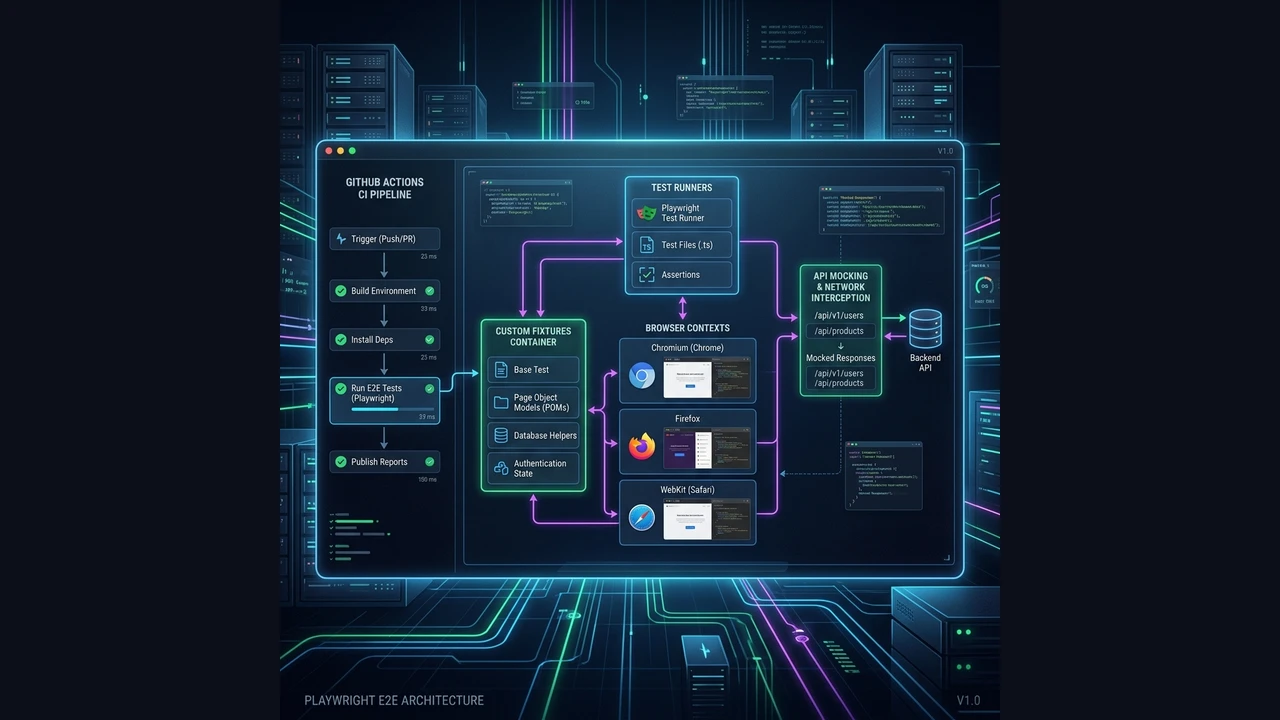
Playwright with TypeScript: The Ultimate Guide to Architecture, Best Practices, and Scalable E2E Testing
An enterprise-grade architectural guide for building robust, scalable functional E2E test suites with Playwright and TypeScript. Master Custom Fixtures, StorageState session management, Component Object Models, data factories, network mocking, and CI/CD sharding.
Kimi K3 vs. GPT-5.6 Sol & Claude Fable 5: The Trillion-Parameter Cost-Performance Revolution
A professional architectural and cost-performance comparison of Moonshot AI's 2.8T MoE Kimi K3 against GPT-5.6 Sol, Claude Fable 5, Grok 4.5, and Gemini 3.1 Pro. Discover why context caching makes open-weight agentic workflows viable.